


Meego - Video Call, Live Chat
3.660.00 Reviews
App Specs
- Version
- 2.6.7
- Updated On
- License
- Free
- Downloads
- 10,000,000+
- Developer
- Meego Team
- Categories
- Social
- Platform
- Android
Screenshots
 Analysis by AppCompare
I approached Meego - Video Call, Live Chat as a social app for people who want to meet others through live video rather than relying only on text or carefully edited profiles. That difference matters: a video-first conversation can feel more immediate, but it also asks more from the person using it. You need to follow a moving conversation, decide quickly whether an interaction feels comfortable, and manage the camera and microphone in situations that may not be ideal.
My overall impression is that Meego is easy to understand at a basic level, yet the experience becomes more demanding once real conversations begin. It is free to install, belongs to the social category, and comes from Meego Team. The app has reached over ten million installs and holds an average rating of 3.6 from around fourteen thousand ratings, which suggests a sizeable audience but also a mixed experience. I would not treat it as a universal replacement for every messaging app. I see it as a better fit for people who actively want spontaneous live interaction and are comfortable with the mature nature of that environment.
How Meego feels to use in everyday social situations
I find Meego most revealing in ordinary moments when I want a conversation but do not have a particular person to call: its live format can make meeting someone feel less like browsing and more like an actual exchange. That immediacy also makes privacy, comfort, and a clear stopping point part of the decision before I open it. The next section looks at what might keep that first-week curiosity useful over time.
Readability and navigation during the first session
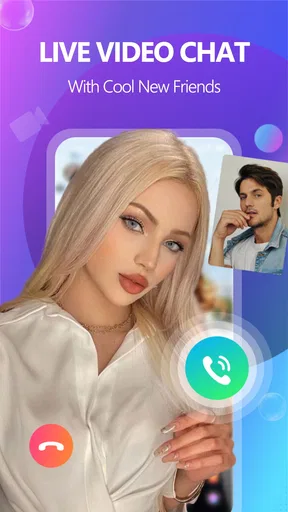
The most important strength of Meego is that its purpose is apparent quickly. You are not opening it to manage a complicated project, build a detailed archive, or learn a large set of professional tools. The central idea is live video chat and meeting people without the usual distance of text-only conversation. That focused purpose helps a first-time user form a mental map of the app without much explanation.
For me, the real test of navigation is not the first screen but the moment I want to move from browsing into a conversation, leave an interaction, or regain control after something unexpected appears. Social video apps often create pressure to respond immediately, and that can make even simple controls feel harder to find. I recommend spending a quiet minute exploring the main areas before starting a serious conversation. Knowing where the exit, mute, camera, and reporting controls are is more useful than rushing into the first available interaction.
Meego’s live format also changes how readable the interface feels. A static messaging screen gives me time to reread a sentence and choose a reply. Video chat does not offer the same pause. Text labels, icons, and moving content compete for attention, especially when I am trying to listen and watch at the same time. Anyone who prefers calm, predictable screens should approach the app with realistic expectations: the challenge is not necessarily learning the interface, but processing several streams of information together.
I find larger text and display settings on the phone helpful for general reading, but they can make crowded social interfaces less comfortable by reducing the amount visible at once. That creates a practical trade-off. Increasing text size may improve legibility while also requiring more scrolling or making controls feel less immediately available. I would test the app with the phone settings I actually need rather than assuming that the default presentation will suit everyone.
Worth Reading Before You Choose

EA SPORTS FC Mobile 26 Is a Bigger Football Game, but It Takes Time

Flipboard Shows What News Apps Must Do Beyond the Feed

Switching to Android Auto Means Rethinking Your Driving Routine

Google Calendar Makes a Crowded Week Easier to Manage

Ludo King Makes the Most of the Minutes Between Plans

Baby Panda World Brings Quick Play to Modern Phones, but Its Game Library Feels Busy
Motor and sensory demands of live video
Video conversation places more physical demands on a user than ordinary chat. Holding a phone steady, tapping small controls, switching between camera and microphone states, and responding quickly can be tiring for someone with limited dexterity or hand tremors. A stand or stable surface can make a meaningful difference because it removes the need to grip the device throughout the conversation. That is a simple adjustment, but it changes the experience from continuous physical management to occasional interaction.
Users who rely on one-handed operation may find the app less comfortable when a control is positioned away from the thumb or when the phone needs to be repositioned to keep the camera view usable. I would start with short sessions and set the phone down whenever possible. This is also useful for people with fatigue, joint pain, or limited stamina: the social part of the app should not require constant effort just to keep the device in place.
The sensory side is equally important. Live video can involve faces, movement, changing expressions, voices, and background noise all at once. Someone who is sensitive to visual motion or unpredictable sound may find this more intense than a conventional social feed. A quieter room, headphones that are comfortable for the individual, and a lower screen brightness can reduce some of that strain, although they cannot change the basic live nature of the service.
For people who communicate better through writing, Meego may be a difficult primary social tool because its identity is built around live video chat. Text messaging allows extra time to compose, translate, enlarge, or review a message. Here, the value is immediacy, and immediacy can become a barrier. I would choose it for practicing spontaneous conversation or meeting people visually, not as the only way to maintain contact with friends who already understand my communication preferences.
Situational access: where the app works and where it does not
A realistic use case is a person with a free evening who wants a more human interaction than scrolling through posts. They can sit somewhere private, place the phone on a stable surface, check the controls, and begin with a short conversation. In that setting, Meego’s live approach may feel more rewarding than a feed because the interaction happens in real time rather than through delayed reactions. It can also suit someone who finds long profile-building processes tiring and would rather judge conversational chemistry directly.
It is much less suitable in public places. A bus, shared office, school corridor, or busy café introduces noise, privacy concerns, and the possibility that other people will appear on camera. Even if the user can technically connect, the situation may not be socially or practically appropriate. I would avoid treating the app as something to open casually wherever I happen to be. A private environment is not just more comfortable; it gives me better control over what is visible and audible.
The mature 17+ rating is an important part of deciding whether Meego belongs in a household or on a shared device. I would not recommend it for children, and I would be cautious about younger teenagers using it even when they believe they can handle live social spaces. Adults should also remember that a mature rating does not make every interaction personally suitable. The right response to discomfort is to leave the conversation, use the available safety controls, and avoid sharing identifying details too quickly.
People with limited or unreliable internet access should also think about when they use the app. Live video is more demanding than sending a message that can wait in an outbox. A weak connection can interrupt the rhythm of a conversation, make facial cues harder to read, and create awkward pauses that are not anyone’s fault. If I were using Meego while travelling or on a limited connection, I would keep expectations modest and avoid starting conversations that require uninterrupted attention.
There is a useful situational advantage for people who are tired of polished social profiles. Seeing someone speak can reveal conversational style more quickly than a carefully written description. That does not automatically make the interaction safer or more meaningful, but it can help users decide sooner whether they want to continue. The trade-off is that visual immediacy can also encourage snap judgments. I would use the video element as one piece of information, not as proof that I know someone well.
Practical choices that make the experience more manageable
My first practical tip is to create a personal stopping rule before opening the app. For example, I might decide that I will leave any conversation that becomes uncomfortable instead of trying to be polite indefinitely. In a live setting, having that rule ready matters because social pressure can make a user stay longer than intended. This is especially helpful for people who find abrupt transitions difficult or who need time to recover after intense interactions.
A second useful workflow is to prepare the physical environment before launching a session. I would check the background, place the phone securely, reduce avoidable noise, and keep the device charger nearby if a longer conversation is likely. These steps are not glamorous, but they address the actual friction of video communication. They also help users with motor limitations or fatigue by reducing repeated adjustments once the conversation begins.
A third tip is to separate discovery from disclosure. The live format may make a conversation feel personal very quickly, but I would still avoid sharing a full name, address, workplace, routine, or financial information during an early interaction. The ability to see and hear someone can create a stronger feeling of familiarity than the relationship has earned. I would keep the first few exchanges light and use the exit controls immediately if the other person pushes for details.
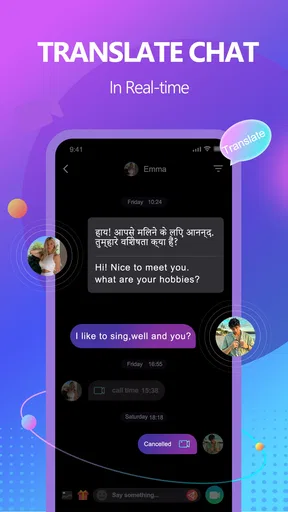
I would also consider captions, transcription, or other communication aids available at the phone level, but I would not assume they will make every live exchange effortless. Their usefulness depends on the clarity of the speaker, background noise, language, and the way the app presents the conversation. If accurate text support is essential for you, a conventional messaging service or a platform built specifically around accessible communication may be a better main option.
Remaining barriers and the cost of the free model
Meego is free to install, but it includes in-app purchases ranging from $0.99 to $99.99 per item. That means I would not treat the basic download as the complete financial picture. Before spending, I would identify what I am paying for and whether the purchase changes the experience in a way I genuinely need. The wide range makes it particularly important to avoid impulsive decisions during an exciting or emotionally charged conversation.
The mature audience and live format can create moderation and personal-safety concerns that are more immediate than in a delayed social network. A user may encounter an interaction that feels intrusive, sexual, aggressive, or simply overwhelming. I would not use Meego with the assumption that every conversation will be pleasant. The app is best approached with firm boundaries, limited personal disclosure, and a willingness to stop participating rather than negotiate with someone who ignores those boundaries.
Another barrier is the pressure of being visible. Some people are comfortable expressing themselves through an avatar, written post, or voice message but feel anxious when their face is part of the interaction. Meego may therefore exclude users who are camera-shy, have strong appearance-related anxiety, or need more control over when they are seen. That is not a minor preference; it affects whether the app’s central format feels inviting or stressful.
I also would not choose it for structured communities, dependable group coordination, or long-form support conversations. A messaging app may be better when I need searchable history, carefully organized channels, or a reliable record of what was said. A video meeting tool may be preferable for scheduled conversations with known participants. Meego’s advantage is spontaneous social contact, so its weaknesses become clearer when the goal shifts toward organization, privacy, accessibility customization, or predictable participation.
The current version is 2.6.7, and the app supports Android 7.0 and later. That makes it available to people using older Android devices, which can be helpful, but the age of a phone still matters in practice. A device with a small screen, weak battery, limited camera quality, or poor performance may make live video less comfortable even when the operating system meets the requirement. I would judge compatibility by the whole device experience, not only by the Android version.
How it compares with familiar social alternatives
Compared with ordinary text-based social apps, Meego asks for more presence and offers less time to compose. That can be its biggest attraction for people who find written profiles artificial or conversations too slow. It can also be its biggest weakness for users who need translation time, assistive technology, privacy, or a chance to think before replying. I would use Meego when immediacy is the point, and a text service when clarity and control matter more.
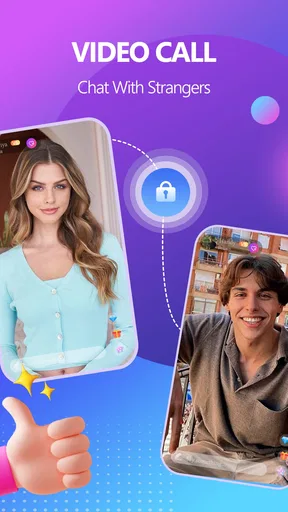
Compared with established video calling tools used among friends, family, or colleagues, Meego is aimed at meeting people rather than simply contacting people I already know. That creates a different kind of energy, but also a different risk profile. A familiar contact list gives me context and trust before the call begins. An open social discovery experience requires more caution because I have less background information about the person on the other side.
Compared with highly visual social networks, Meego puts more weight on direct interaction and less on building a polished public identity. I can see the appeal for someone who wants conversation instead of endless scrolling. Still, users who prefer asynchronous participation, strong content filters, or carefully curated communities may feel more comfortable elsewhere. The right choice depends less on which app is “best” and more on whether spontaneous video matches the way you communicate.
Who should try it, and who should skip it
I would recommend Meego to an adult who enjoys meeting unfamiliar people, can manage live conversation without too much stress, and has a private place for video calls. It may also suit someone who wants to practice social confidence in short interactions and prefers seeing a person rather than exchanging long introductions. The free entry point makes experimentation easy, provided the user remembers that optional purchases are part of the experience.
I would skip it as a primary social app if I need dependable accessibility features, extensive control over presentation, text-first communication, or a carefully bounded circle of contacts. I would also avoid it for children, for use in shared public spaces, or for anyone who feels pressured by camera-based interaction. In those situations, a familiar messaging platform, a moderated community, or a scheduled video tool is likely to be more comfortable and predictable.
My inclusive verdict is mixed but fair: Meego makes live social contact straightforward, but straightforward access is not the same as accessible communication for everyone. Its focused concept, broad Android availability, and large user base give it a real chance to connect people. At the same time, live video, mature interactions, sensory load, physical device handling, and purchase prompts create barriers that users should consider before committing.
I would recommend trying it deliberately rather than casually: adjust the phone for readability, use a stable setup, begin with short sessions, protect personal information, and decide in advance what will make you leave a conversation. If those conditions suit you, Meego can offer a more immediate alternative to scrolling and text. If you need slower communication, stronger structure, or more predictable control over who can reach you, another social tool will probably serve you better.
Pros
- Simple interface makes starting video calls quick and easy.
- Supports live chat for casual conversations beyond video calls.
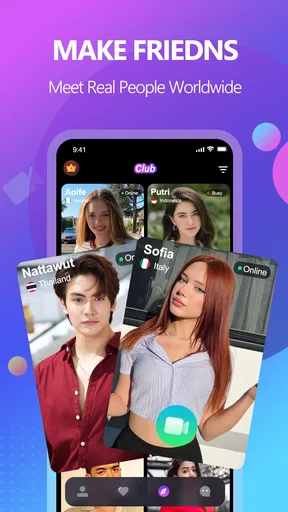
- Useful for meeting new people from different locations.
- Notifications help you keep track of incoming messages and calls.
- Free access lets users try the core communication features.
Cons
- User quality and availability may vary depending on your region.
- Live interaction can consume significant mobile data and battery.
- Privacy settings should be checked carefully before chatting with strangers.
- Some features may require in-app purchases or premium access.
- Occasional connection issues can affect video and audio quality.
FAQs for Meego - Video Call, Live Chat
What is Meego - Video Call, Live Chat?
Meego - Video Call, Live Chat is a social communication app designed for meeting and chatting with other users through live video calls and text messages. After installing it, users can typically create a profile, browse available people, send messages, and start video conversations. The experience is focused on real-time interaction, so a stable internet connection and an active, respectful community are important for using the app comfortably.
Is Meego - Video Call, Live Chat free to download and use?
The app may be available to download at no initial cost, but some features can require in-app purchases, virtual credits, subscriptions, or other paid options. Before starting a call or sending premium messages, check the pricing information shown inside the app and in the relevant app store. Availability of features and costs may also vary depending on your country, device, account status, and current version of Meego.
Is Meego suitable for children and teenagers?
Meego is primarily intended for social interaction with people you may not know personally, which means conversations and video content can be unpredictable. Parents should review the age rating, privacy policy, and available safety controls before allowing a minor to use it. Avoid sharing personal details, school information, location, passwords, or private images, and use blocking and reporting tools whenever a conversation feels inappropriate or unsafe.
How can I protect my privacy while using Meego?
Use only the information necessary to create your profile and avoid publishing your full name, home address, phone number, workplace, daily routine, or financial details. Remember that video calls can reveal your surroundings, so check what is visible behind you before connecting. Review the app’s permissions, adjust profile visibility where possible, and block or report users who pressure you, request money, or behave suspiciously.
What should I do if I experience harassment, scams, or technical problems?
If another user behaves abusively, asks for money, sends inappropriate content, or attempts to move the conversation somewhere unsafe, end the interaction and use Meego’s block and report features. Keep screenshots or other evidence if needed. For connection, login, camera, microphone, or payment issues, update the app, check your internet and device permissions, then contact the developer through the official support channel or app store listing.


